

This page of the Environmental Portal is currently being updated.
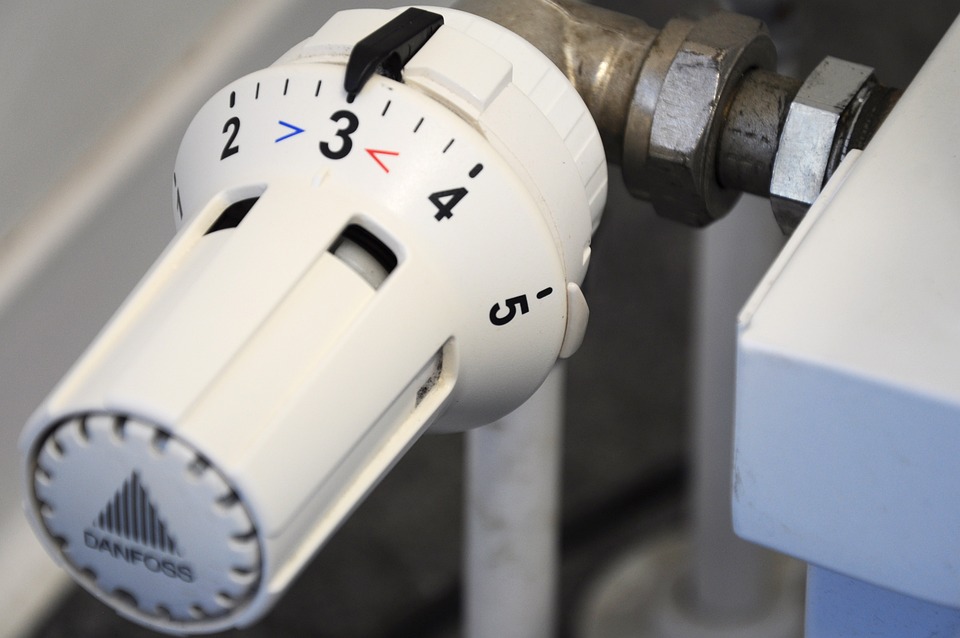
Tips for Saving Heating Energy
Adjusting and Checking Radiators
- For conventional thermostats: Set the valve to “2” to “3” (approx. 16 °C to 20 °C) for sedentary activities
- Set all radiators in the room to the same valve setting
- Set the valves on radiators in hallways and other common areas to frost protection *
- Order valve adjustment clips from us: These prevent the valve from being turned past a certain position -> useful for rooms with varying occupancy!
- Please report any damaged or missing valves here
- If you hear a gurgling noise, the radiator needs to be bled; please report it here
Office Layout & Miscellaneous
- Do not block radiators with furniture or other objects -> this ensures better heat distribution in the room
- Do not use personally purchased space heaters
- Keep office doors and, in general, doors to heated rooms closed
- Take advantage of sunlight: open blinds during the day and close them when it gets dark
Ventilation
- Ventilate thoroughly; never leave windows ajar!
- Adjust the duration of ventilation according to the outside temperature and season
- From November to March: 5–10 minutes
- First turn off the radiator, then fully open the window for the appropriate amount of time, close it again, and only then turn the heating back on.
- For lecture halls, the use of CO2 sensors is recommended; these allow for controlled ventilation only when objectively necessary
- Adjust the duration of ventilation according to the outside temperature and season
- Check unused rooms regularly and close windows if necessary
- For ventilation and air conditioning systems, keep ventilation openings clear; do not block them with objects
Tips for Saving Electricity
Lighting
- Use natural light instead of artificial lighting
- Turn off the lights when leaving the room!
- Turn off the lights in public areas, such as restrooms, when necessary
General Appliances
- Do not use standby modes
- Charge battery-powered devices properly: from 20% to a maximum of 80% charge
- If possible, do not use the device while it is charging
- Unplug chargers from the outlet when not in use
IT Equipment
- Install power strips with switches between devices (PC, laptop, monitor, and especially printers) and the power outlet
- Turn off or shut down all devices and power strips at the end of the workday, unless they are needed overnight
- Excluding telephones
- Unplug any peripheral devices connected to the computer when they are not in use (external hard drives, USB flash drives, printers, etc.)
- Regularly check CPU usage via Task Manager; if usage is high, identify the responsible processes and terminate them if necessary
- Disable the screensaver and reduce screen brightness (60%)
- Turn off the standby function on monitors (-> Control Panel\Hardware and Sound\Power Options\Edit Power Plan Settings -> “Turn off display” and “Sleep after”)
- Enable power-saving mode on printers and copiers
- ZIM staff copiers are already set to power-saving mode
- Turn off printers (except for ZIM staff copiers -> network connection) at the end of the workday
- Phone: Reduce display brightness (guide)
- Shut down audio and video equipment in lecture halls and seminar rooms
Laboratory
- Turn off equipment after use; check at the end of the workday
- Fill autoclaves and washing systems completely
- Freezers, refrigerators, and cold storage and freezer rooms
- Do not set temperatures lower than necessary (including for air conditioning units)
- Defrost regularly